Ginarea — platform for creating trading bots using a visual builder. Allows automating trading without programming, using ready bot types and indicators. If you’re just getting started with automation, we recommend reading our introduction to algo trading first.
For whom: Traders who want to automate trading but can’t program.
What is Ginarea
Ginarea (Grow Investments Area) is a free bots platform for automated trading on centralized exchanges. Unlike ready bots (like Veles), here you choose bot type and configure parameters for your strategy.
Main idea: Provide simple and effective automation tools without complex programming.
Key Features
- Visual builder — bot setup via clear interface
- Bot types — Default, Auto Grid, Dynamic, Indicator Grid, DCA
- Analytics — trading statistics, results analysis
- Multi-exchange — OKX, Bybit, BitMEX, KuCoin
- Auto Grid — automatic grid adjustment on price movement
- Free — platform with free tier (affiliate program for development)
Supported Exchanges
| Exchange | Type | Status |
|---|---|---|
| OKX | Crypto (spot + futures) | ✅ Full support |
| Bybit | Crypto (spot + futures) | ✅ Full support |
| BitMEX | Crypto (futures) | ✅ Full support |
| KuCoin | Crypto (spot + futures) | ✅ Full support |
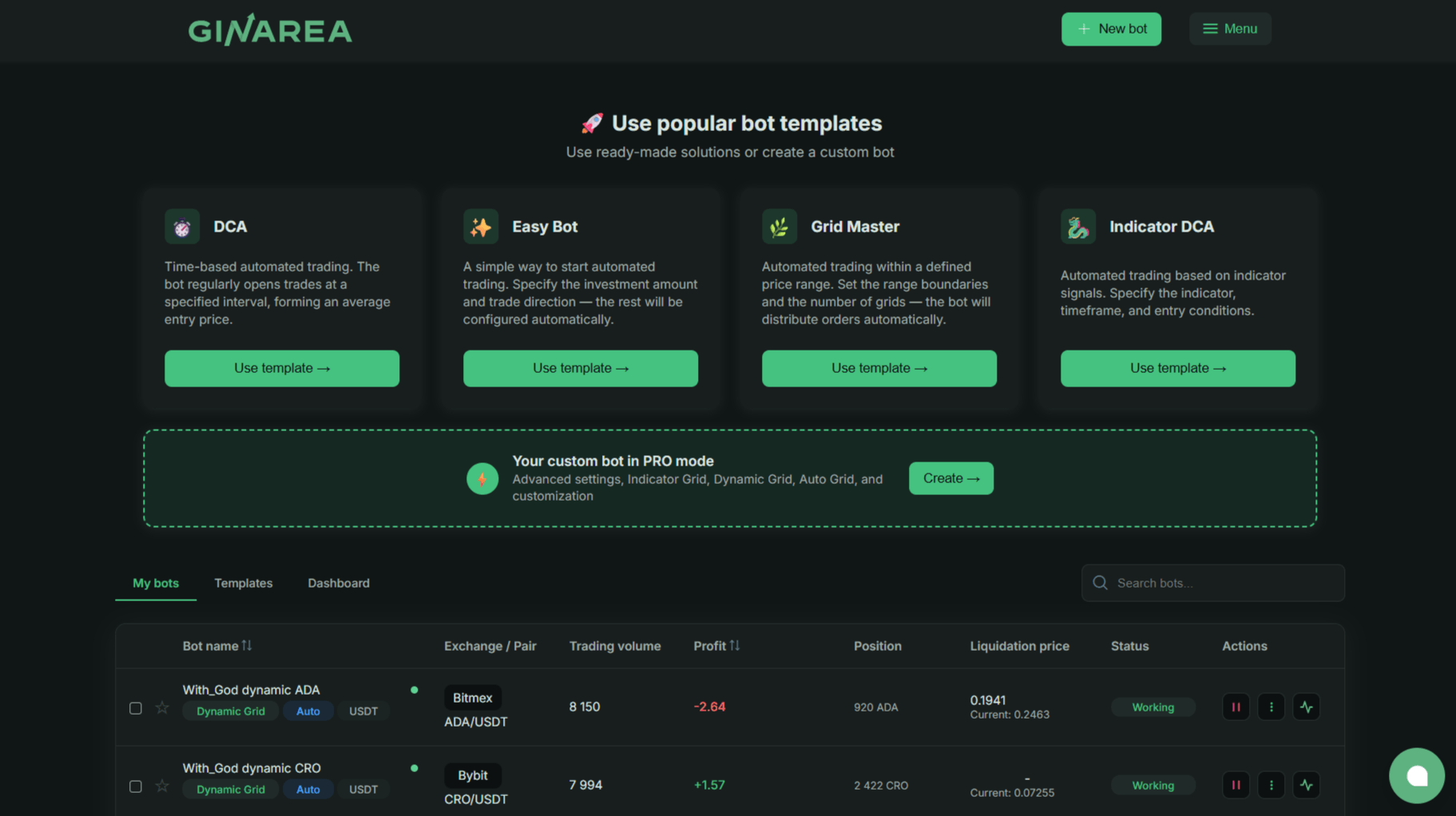
Important: Ginarea supports spot and futures on OKX, Bybit and KuCoin, plus futures on BitMEX. Unified trading account required (Bybit) or trading account (OKX/KuCoin).
Minimum Requirements (Recommendations)
- Spot: From 200 USDT to launch bot
- Futures: From 200 USDT on unified trading account
- Inverse contracts: From 200 USDT
How Ginarea Works
Workflow
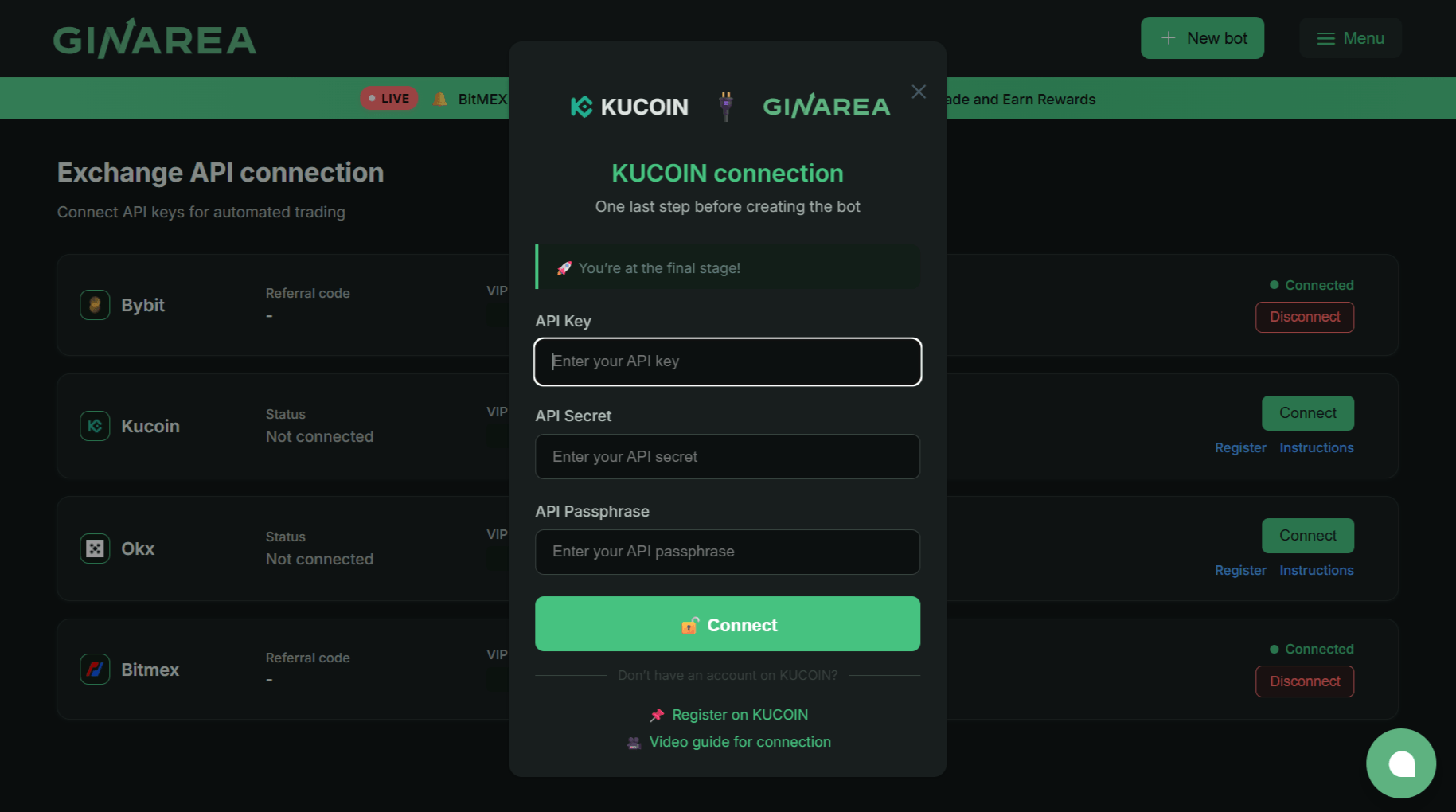
- Registration: Create Ginarea account
- Exchange connection: Add API keys (trading only, no withdrawal!)
- Choose bot type: Default, Auto Grid, Dynamic, Indicator Grid, DCA
- Setup: Fill bot parameters (exchange, pair, settings)
- Launch: Bot starts trading 24/7
- Monitoring: Watch via web interface
Visual Builder
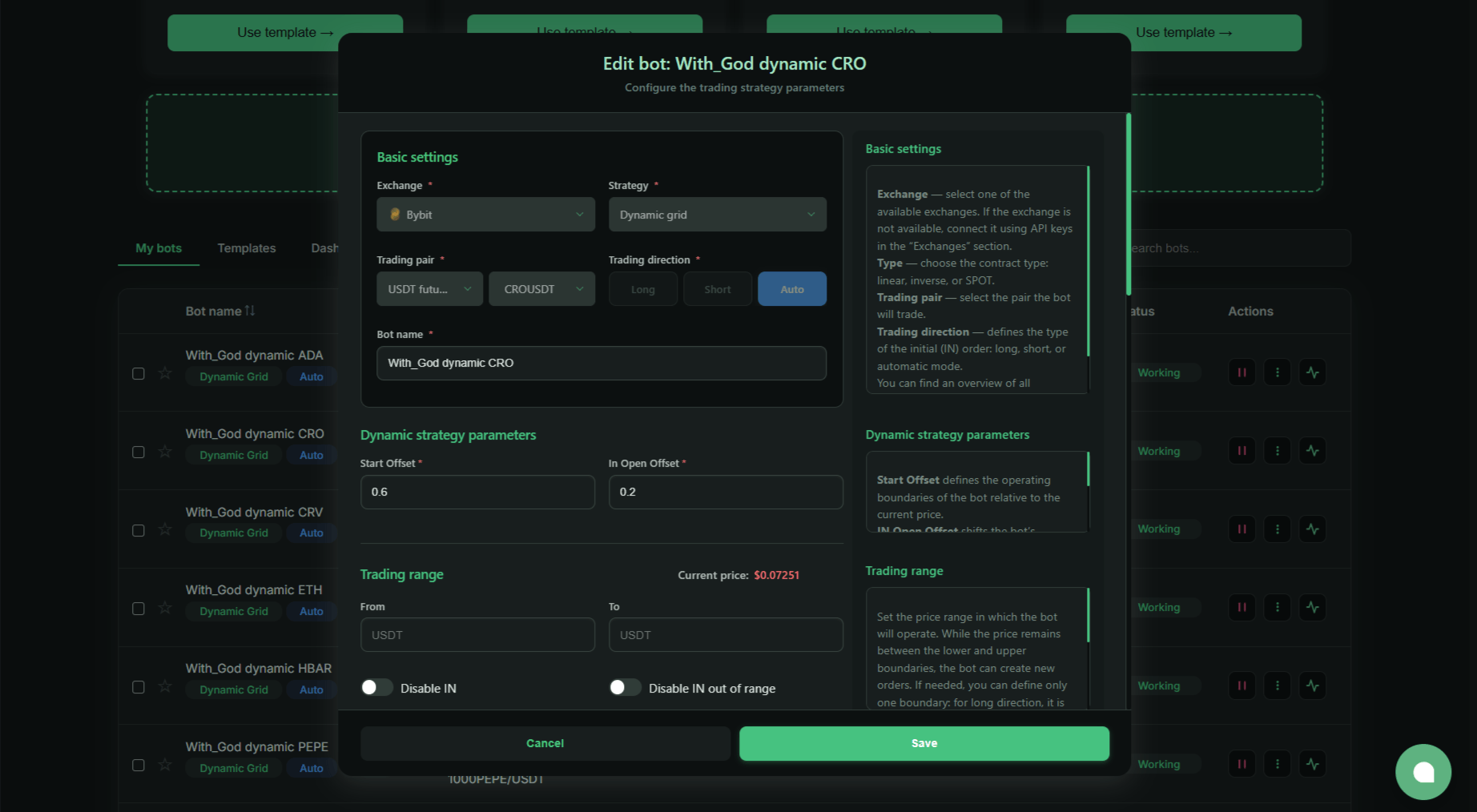
Ginarea uses visual interface for bot setup:
- Choose bot type: Default, Auto Grid, Dynamic, Indicator Grid, DCA
- Fill fields: Exchange, strategy, trading pair, type, direction, bot name
- Setup indicators (if used in strategy): EMA, RSI, MA, SMMA, ATR, ATR%, Supertrend
- Risk management: Stop-loss, take-profit, position size
Indicator Grid setup example:
- Choose indicators (e.g., RSI + EMA)
- Setup parameters (RSI period, EMA period)
- Specify entry conditions (RSI < 30 + Price > EMA)
- Set risk management
Ginarea Bot Types
Ginarea supports several bot types:
1. Default (Standard)
Principle: One-directional strategy (long only or short only).
Settings:
- Direction: Long or Short
- Indicators for entry
- Stop-loss / Take-profit
For whom: Beginners, simple trend trading.
2. Auto Grid (Autogrid)
Principle: Opens long and short positions simultaneously within specified range.
Settings:
- Price range (min/max)
- Number of grids
- Position size per grid
Feature: Available only for USDT Futures.
For whom: Sideways market (flat), high volatility.
3. Dynamic
Principle: Uses floating boundaries that adjust to price.
Settings:
- Base range
- Adjustment coefficient
- Direction: Long, Short, Auto
For whom: Trend market with corrections.
4. Indicator Grid
Principle: Order grid with indicator filters.
Indicators:
- EMA (Exponential Moving Average)
- RSI (Relative Strength Index)
- MA (Moving Average)
- SMMA (Smoothed Moving Average)
- ATR (Average True Range)
- ATR% (ATR in percent)
- Supertrend
For whom: Experienced traders who want to combine grid with indicators.
5. DCA
Principle: Position averaging on price movement against.
Settings:
- Base purchase amount
- Averaging step (% or fixed)
- Multiplier (increase purchase)
- Take-profit
For whom: Long-term investments, position accumulation.
Fees
Ginarea is completely free. Platform earns on exchange commission rebate (IB rebate) — this is standard practice.
Expenses:
- Exchange fees: 0.02-0.1% per trade (depends on exchange and volume)
- Slippage: Difference between expected and actual execution price
Pros and Cons Ginarea
Pros
| Advantage | Description |
|---|---|
| Visual builder | Strategy creation without code, clear |
| Flexibility | Can implement complex ideas (conditions, filters) |
| Analytics | Trading statistics, results analysis |
| Multi-exchange | OKX, Bybit, BitMEX in one platform |
| Community | Strategy publishing, education |
Cons
| Disadvantage | Description |
|---|---|
| Complexity | Beginners need time to learn builder |
| Limited indicators | No custom indicators (only built-in) |
| No backtests | Can’t test strategy on historical data (calculators available) |
| No paper trading | No demo account testing |
Ginarea Calculators
Instead of backtests, Ginarea provides calculators for bot parameters — they help select optimal settings before launching with real money.
Grid Calculator
What it does:
- Calculates number of grids within specified range
- Shows profit per grid
- Optimizes parameters for deposit
How to use:
- Set price range (min/max)
- Specify deposit
- Get optimal grid count and profit
Example:
- Range: $90,000 - $100,000 (BTC)
- Deposit: $200
- Result: 10 grids, ~$2-5 profit per grid
DCA Calculator
What it does:
- Calculates position averaging levels
- Shows average entry price
- Optimizes averaging step
How to use:
- Set base purchase amount
- Specify averaging step (% or fixed)
- Get entry levels table
Example:
- Base purchase: $50
- Averaging step: 5% drop
- Multiplier: 1.5x
- Result: 5 levels, average entry 12% below current
Community Calculator
Recommended tool: Ginarea Calculator (unofficial)
Features:
- Calculate parameters for all bot types (Default, Auto Grid, Dynamic, Indicator Grid, DCA)
- Optimize for deposit and risk
- Export settings for import to Ginarea
Important: Calculators don’t replace backtests — they show strategy mathematics, not historical effectiveness. Use with chart and indicators analysis.
For Whom Ginarea
✅ Suitable if:
- Want to create own strategies (not ready bots)
- Understand technical indicators
- Deposit: $500-5,000
- Trade on futures or spot (crypto)
- Ready to learn (builder requires time to master)
❌ Not suitable if:
- Need ready solutions (better Veles, Gainium)
- Don’t understand technical indicators
- Deposit < $200 (fees will eat profit)
- Want to trade without market analysis
Ginarea Alternatives
Platform comparison for algo trading we covered in detail in our algorithmic trading platforms overview. You’ll find detailed comparison of Veles, Ginarea, Gainium and other platforms there.
FAQ
Is Ginarea safe to trust API keys?
Yes, if keys are for trading only (no withdrawal). Ginarea can’t withdraw funds.
How much money to start?
Minimum: $200-500 (for futures with 3-5x leverage).
Optimal: $1,000-3,000 for comfortable trading.
Does Ginarea work in Russia?
Yes, Ginarea is available in Russia. Exchanges (Bybit, Binance) work with restrictions.
Do I need to pay taxes?
Yes, trading profit is taxed (13% for Russia residents). Ginarea provides export for accounting.
Can I use ready strategies?
Yes, Ginarea marketplace has hundreds of ready strategies (paid and free).
Try Ginarea
Register on Ginarea and start automating trading.
Sources:
- Ginarea — official documentation
- Ginarea community (Telegram, forum)
Disclaimer
This blog is for informational purposes only. It does not constitute financial or investment advice.
Trading cryptocurrencies and other financial instruments involves high risk. You may lose all your funds.
The author is not responsible for any financial losses resulting from the use of information from this blog.